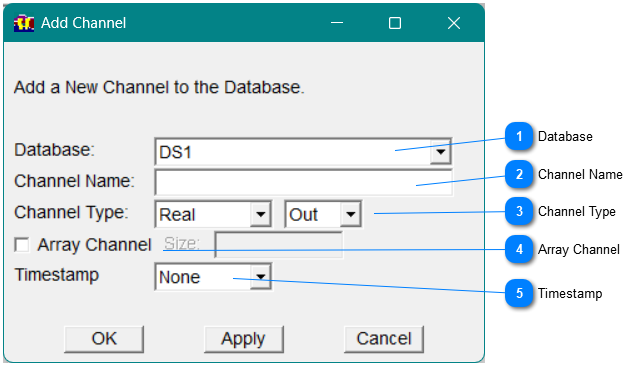
With Db_view, you can add a channel to the database by selecting Add on the Channel menu in the menu bar. The Add Channel dialog appears, as shown.
 DatabaseSelect a database
|
 Channel NameEnter a unique channel name.
|
 Channel TypeSelect the channel type and then select input or output.
|
 Array ChannelIf you need an array channel select this and then enter the size.
|
 Timestamp
|
Option
|
Description
|
|
None
|
Select this option if the channel has no timestamp.
|
|
Single
|
Select this option if the channel is a single-value channel or an array channel with a single-value timestamp.
|
|
Array
|
Select this option if the channel is an array channel with timestamps.
| |