Vinfo
You can use the vinfo utility to get detailed information about a database.
To run vinfo
-
Enter the following at the system prompt:
vinfo [qualifiers] <db_name>
Parameter
The <db_name> parameter is required and specifies the name of the database about which to get information. If no other qualifiers are specified, all information about the database will be displayed.
Qualifiers
You can use the following qualifiers, preceded by a "/" or "-" character, with the vinfo command:
Use the attach qualifier to display any channels that have been attached by a process.
channel
channel=<n>
Use the channel qualifier to display information about a specific channel, based on a channel index n .
clear
With the lock qualifier, you use the clear qualifier to clear any database locks. If the attach qualifier is specified, use the clear qualifier to clear any attaches on channels.
dmem
Use the dmem qualifier to display information about the dynamic database memory.
dump
dump=<filespec>
Use the dump qualifier to write the entire contents of the database to a file.
emem
Use the emem qualifier to display information about the database event memory.
hex
hex=<start address>
Use the hex qualifier to display memory at the given start address; this may be useful to examine emem or dmem. For example, you can get a start address by using vinfo -emem .
Use the locks qualifier to display information about database locks.
output
output=<filespec>
Use the output qualifier to write the output to the specified file.
repair
Use the repair qualifier to check for tasks that have exited abnormally. If any such tasks are found, the program cleans up all of the memory used by the tasks.
security
Use the security qualifier to display all classes, users, and security masks for the specified database. Use the security qualifier with the update qualifier to cause the database to update its security.
See also: update
sorted_table
Use the sorted_table qualifier to display information about the sorted table. This include the channels and the hardware_sorted table.
tasks
Use the tasks qualifier to display information about the tasks connected to the database.
Use the update qualifier with the security qualifier to cause the database to update its security, allowing changes to users and new users to be added to the roles and access files without remapping the database. This qualifier must be run locally on the machine on which the database resides. Currently running programs are not affected; when a new program is executed, it will use the new security.
verbose
Use the verbose qualifier to display additional information about the selected items.
Vinfo Output Format
This section describes the different parts of the Vinfo output.
DATABASE HEADER
Displays any locks and the number of channels in the database, as shown.

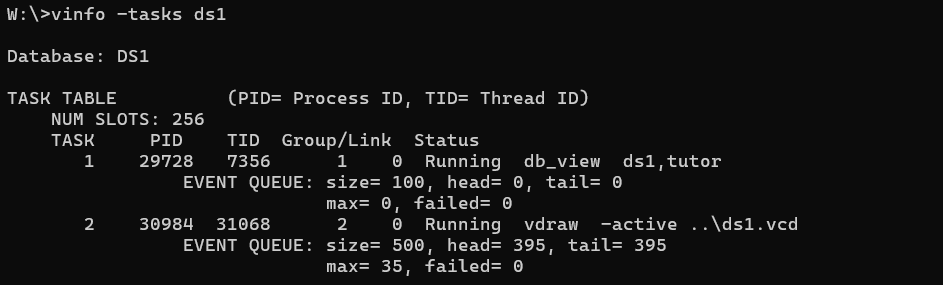
TASK TABLE
Displays a listing of each process connected to the database. In addition, the event queues are displayed, as shown in Figure 1-10See Vinfo display of processes and event queuesSee Vinfo display of processes and event queues.
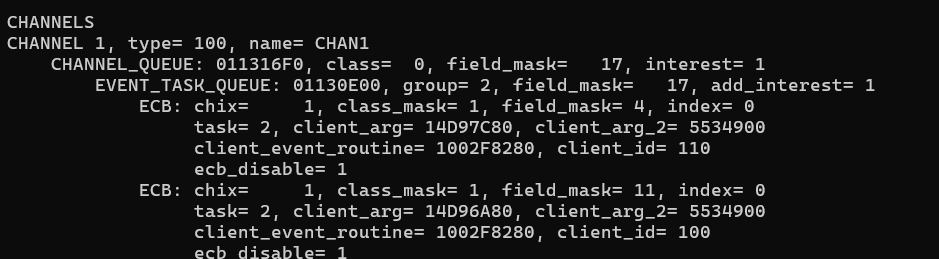
CHANNELS
Displays the channel types and names, as shown, and whether the channels are locked. In addition, each event added for that channel is displayed.
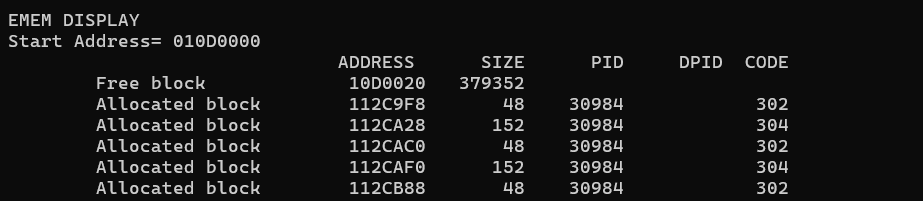
EMEM
Displays the event memory (emem), as shown. The starting address and size of the block are displayed, along with the process ID of the task that allocated the memory and a code identifying what allocated the memory.
DMEM
Displays the dynamic memory (dmem). It is similar to the Emem display. The starting address and size of the block are displayed, along with the process ID of the task that allocated the memory and a code identifying why the memory was allocated.
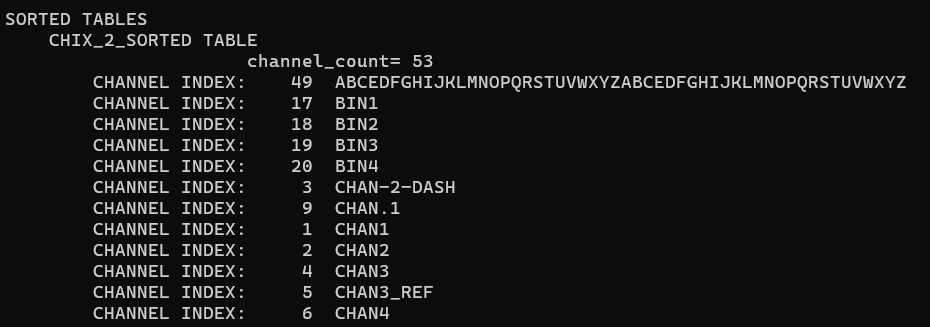
SORTED TABLES
Displays the elements in the sorted tables
 .
.SECURITY
Displays all classes, users, and security masks for the specified database.
