Vlog
Picture your data. Our archiving tool, Vlog, collects data from your vaccess database at specific time intervals, when channel values change, or on a trigger event. This data is then recorded to disk files. All three types of logging can be enabled or disabled by the use of a binary gate channel, allowing you to precisely control when or when not to archive data.
The Vlog environment supports many Vlog engines to run at the same time, each with their own settings, allowing great flexibility and efficiency. Data on different units of production can have their own Vlog data files for post production analysis. This eases later retrieval when the unit number is part of the Vlog filename. Selected Vlog files can be viewed together as one file as though they were stored as a single file. Vlog is also optimized for time-series data.
With Vlog you can
- Archive selected data (values--including whole arrays and images--and fields) to disk in three modes, each optionally gated:
- Time mode
- Change/event mode
- Triggered mode
- Archive local or remote database channels
- Access (read from) logs while they are being written to
- Store data in compressed binary files and easily convert those files to ASCII format
- Achieve rates much greater than 8,000,000 values per second archived to disk (generally limited by the disk performance)
- Create archive files that are circular in time or size
- Archive any field of any channel (Alarm limits, calibrations, etc.)
- Dynamically add data to or delete data to be recorded from a running archive
- Archive data only once in the header, if required, saving space if the value is fixed
- Play back data into the Vaccess database via Playback
- Time stamp data either from the source or with Vlog from system time
- Record data out of time order
- Create archive files directly with the documented API
- Retrieve data with the documented SQL interface
- Run multiple loggers at different rates, each capturing data from any selection of local or remote databases
- Merge, copy, and move archive files using the Varchive utility
- Extract data based on time or SQL condition to a new archive file
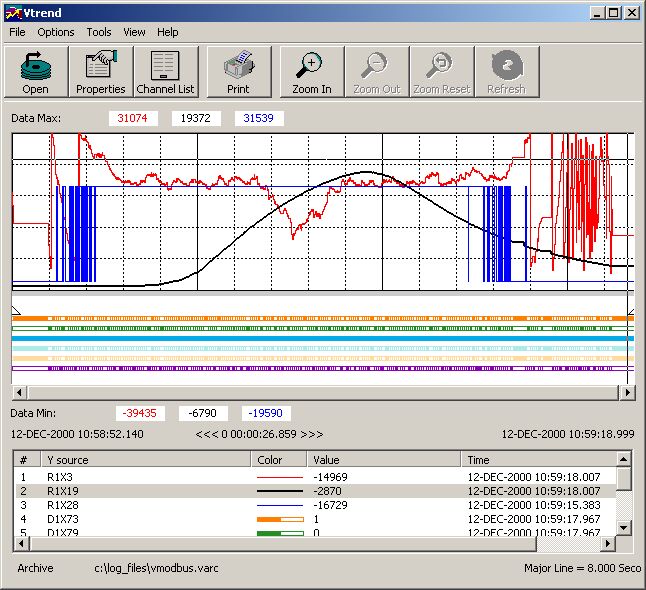
Vlog comes with its own full API, which allows application programs to both create and analyze archive files. Vlog tasks run in a client-server environment, with management from any node in the network using graphical interface tools.
Our customers use Vlog to capture data at very high speeds. They are able to maximize disk usage through our optional use of circular disk buffers and archive files. Vlog allows users to examine their systems' efficiencies in great detail. Archived data can be used to isolate causes of process errors, identify process inefficiencies, and help identify the results of changes made to system parameters by enabling users to examine before and after archives, leading to process and quality improvement..
Some customers have developed extensive training and/or simulation systems with Vlog. Actual plant data can be played back to nonproduction databases to offer realistic training scenarios. Customers have used Vlog to record critical system parameters, such as the ramping of a furnace to a given temperature. Once these parameters have been accurately recorded, they have used this archived data for actual process control, thus giving them a way to precisely repeat a given sequence of events.