Creating the Furnace Control Display Window
You can start Vdraw from the command line by entering the following command at the system prompt:
vdraw
or by double-clicking on the Vdraw icon.
After you start Vdraw, the Vdraw Toolbox appears, as shown in
Figure 3.
Figure3 - Vdraw Toolbox
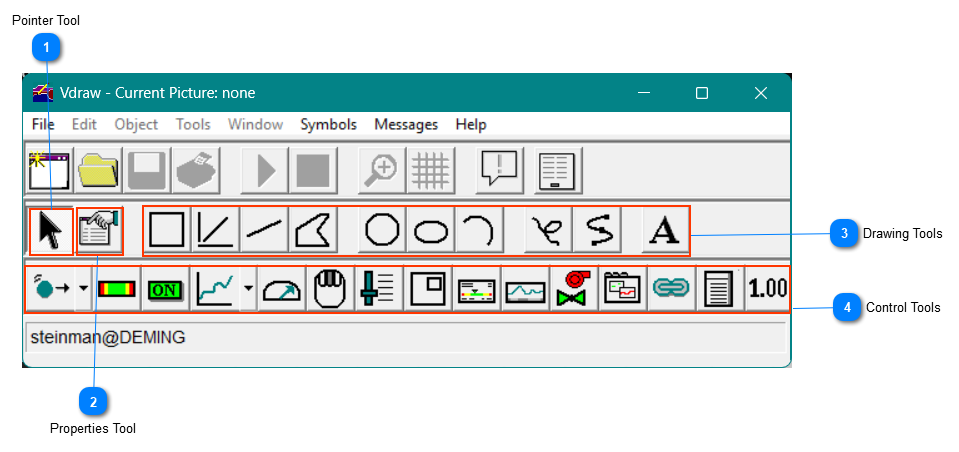
 Pointer ToolFor selecting objects in drawing windows. You must use the Pointer tool whenever you are instructed to select an object in a drawing window.
|
 Properties ToolFor specifying characteristics such as line weight, fill color, and font style
|
 Drawing ToolsFor drawing the control display window graphics.
|
 Control ToolsFor adding control objects that dynamically connect the control display window to a database.
|



